

















Setting a guarantee on one product
Every product page gets the module’s EU GARAN label (commercial guarantee of durability) card. There you decide, for that product, whether it follows its product feature or brand rule, has a guarantee of its own, or shows no label at all.
Open the GARAN card
- Open the product in Catalog › Products.
- Click the Modules tab of the product page.
- If several modules are listed, click Configure under EU Legal Guarantee Notice and GARAN Label. On PrestaShop 1.7.8, choose it in Module to configure.
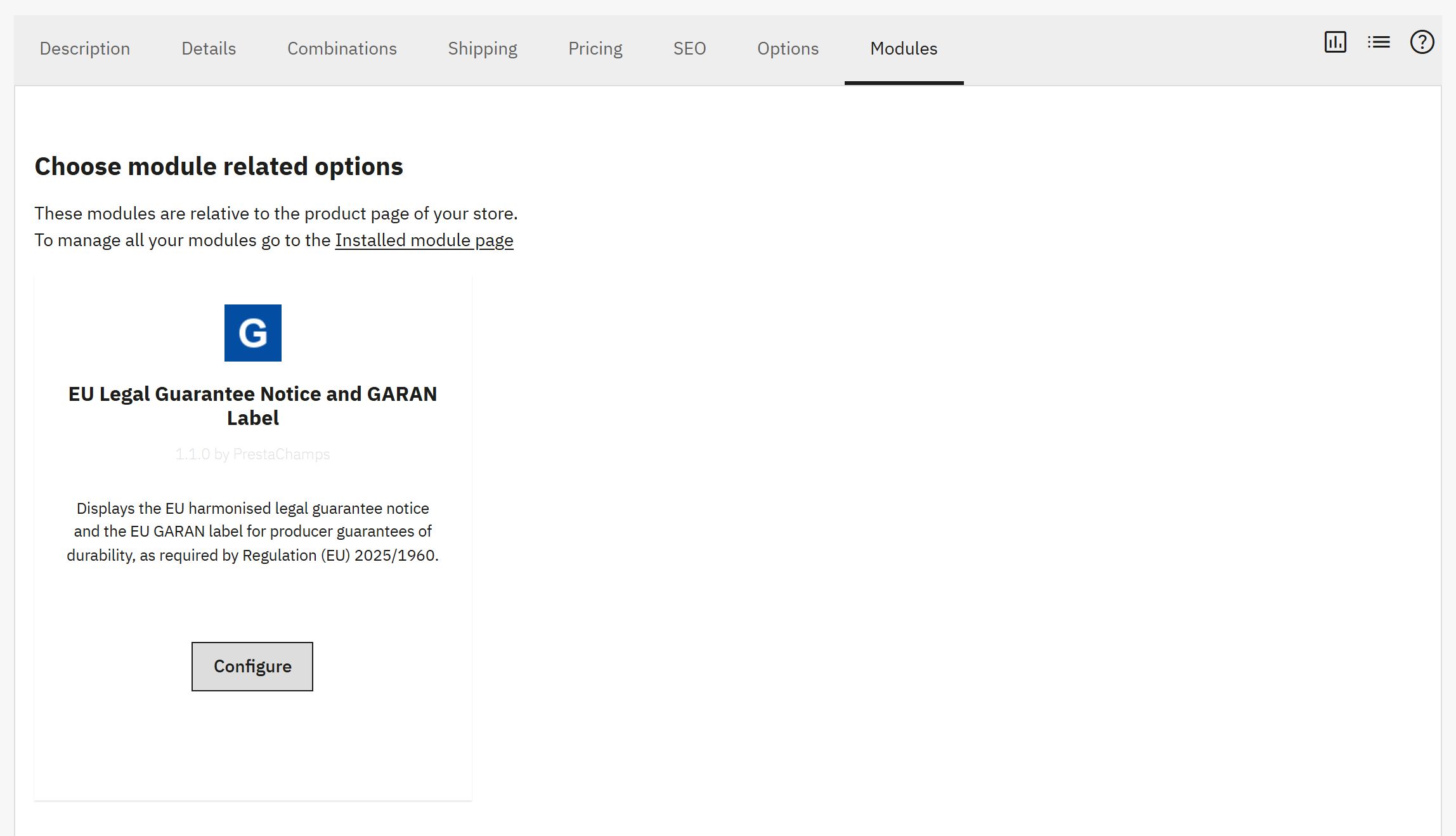
- The Modules tab.
- Configure under the module opens its card.
The three choices
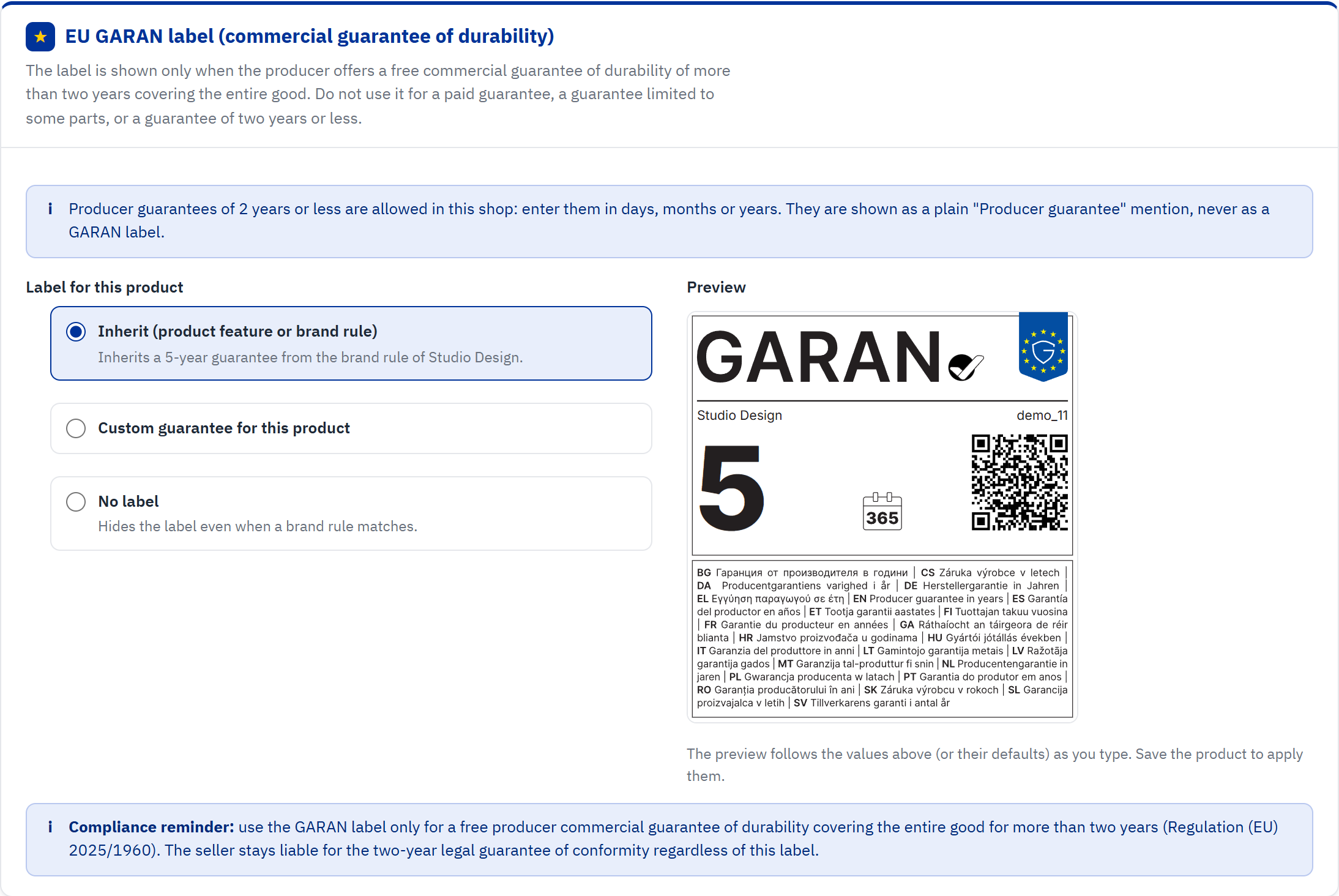
- Shown while producer guarantees of 2 years or less are allowed.
- Inherit (product feature or brand rule): the hint says where the guarantee comes from.
- Custom guarantee for this product: a guarantee, brand and model of its own.
- No label: nothing is shown for this product.
- Preview: the label as it will look, updated as you type.
- The compliance reminder.
| Choice | Effect |
|---|---|
| Inherit (product feature or brand rule) | The default. The product takes the guarantee of its guarantee feature value, otherwise the one of its brand rule, otherwise it has none. The hint under the choice tells you which one applies, for example “Inherits a 5-year guarantee from the brand rule of Studio Design.” |
| Custom guarantee for this product | The product gets its own guarantee, and optionally its own brand and model texts. It wins over the feature value and the brand rule. |
| No label | No GARAN label and no guarantee mention for this product, whatever its feature value or brand rule says. |
Set a custom guarantee
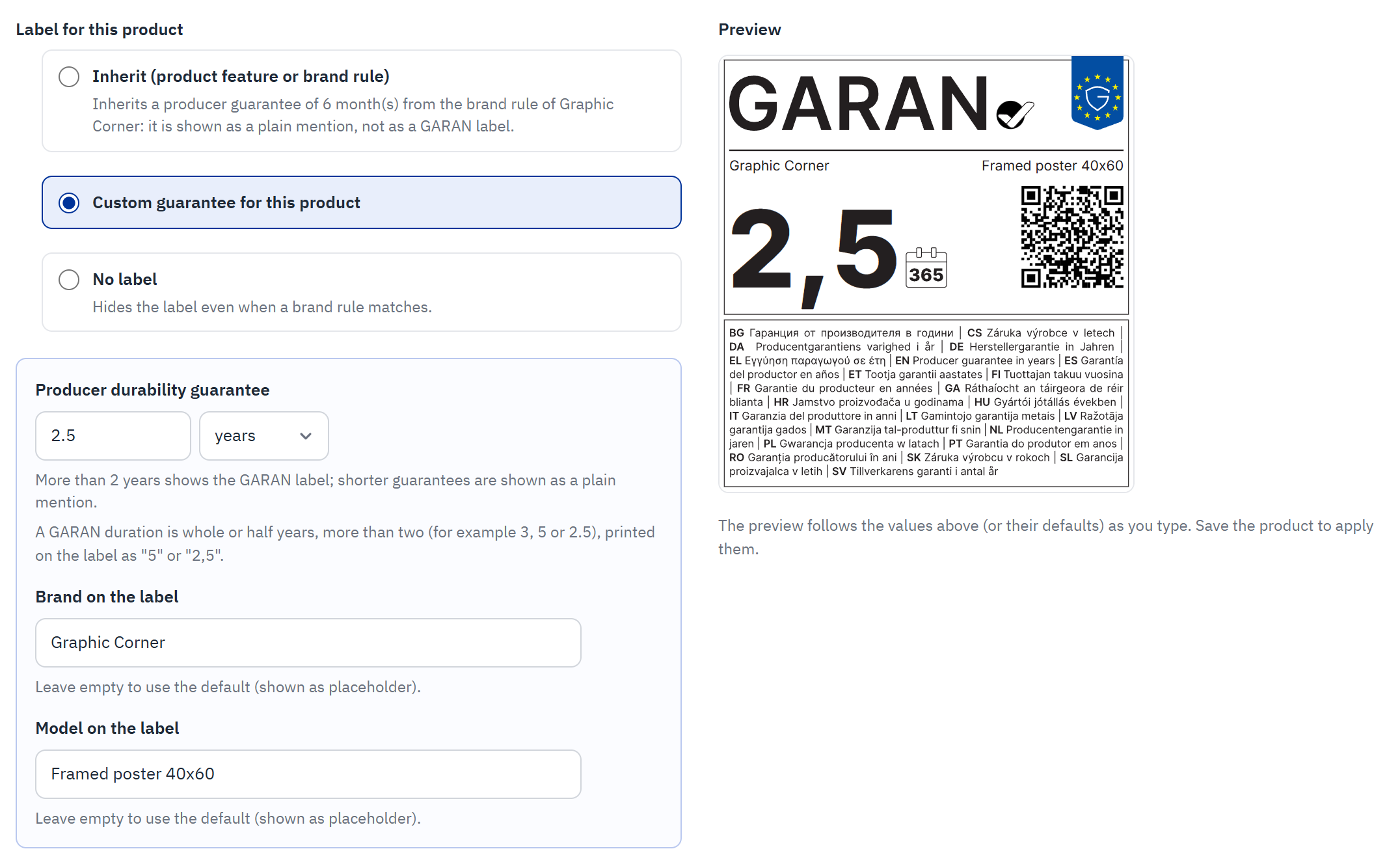
- Custom guarantee for this product is selected.
- Producer durability guarantee: the number (and its unit while short guarantees are allowed).
- Brand on the label: leave empty to use the default (shown in grey).
- Model on the label: leave empty to use the default (shown in grey).
- The preview follows your input.
- Select Custom guarantee for this product.
- In Producer durability guarantee, enter the duration in years: whole or half years from 2.5 to 99, for example
3,5or2.5. The label prints it with a decimal comma, “2,5”, as the official artwork requires. - Optionally fill in Brand on the label and Model on the label, up to 128 characters each. Empty fields use the defaults of GARAN label › Display (usually the brand name and the product reference); the grey placeholder shows them.
- Check the preview, then save the product with the product page’s button (Save, or Save and publish on PrestaShop 9).
When a product shows no label
If a product does not show the label you expect, check these points in order:
| Cause | What to do |
|---|---|
| The card is set to No label | Choose Inherit (product feature or brand rule) or a custom guarantee. |
| No source gives a guarantee | The hint of Inherit says so. Set a custom guarantee, a feature value or a brand rule. |
| The guarantee is 2 years or less | It can never be a GARAN label. It shows as a plain mention if short guarantees are allowed (Short producer guarantees). |
| The product has no brand | The label must name the producer. Assign the product’s brand in PrestaShop, or type a Brand on the label. |
| The label is switched off, or not placed on the product page | Check Show the GARAN label and Product page position in GARAN label › Display. |
| The shop shows an old page | Clear the cache in Advanced Parameters › Performance. |
The Labelled products list (GARAN label › Labelled products) shows every product’s guarantee and its source at a glance.
Short producer guarantees
Some producers give a guarantee of 2 years or less: 30 days on shoes, 6 months, one year. The module can mention such a guarantee to your customers, but never on the GARAN label. This option is off by default.
Why they never appear on the GARAN label
- The GARAN label may only represent a producer guarantee of durability of more than two years.
- The artwork prints “producer guarantee in years” in the 24 EU languages next to the number. A “30” on the label would read as 30 years.
So the module never draws a short guarantee on the label artwork, never shows the nested label for it and never links it to the GARAN information page.
Allow short guarantees
- Open GARAN label › Display.
- Switch on Allow producer guarantees of 2 years or less and click Save.
A unit list (years, months, days) now appears next to every guarantee field: on the product’s GARAN card, in the brand rules, in the Assign guarantees bar and in the value table of the guarantee feature.
| Unit | Allowed values | Shown as |
|---|---|---|
| years | More than 2, in whole or half years up to 99 (2.5, 3, 3.5 … 99) | GARAN label |
| years | 1 or 2 (whole years only) | Plain mention |
| months | 1 to 24 | Plain mention |
| days | 1 to 730 | Plain mention |
For a guarantee of more than 2 years, always enter years: it then shows the GARAN label. For 18 months, enter 18 months, not 1.5 years.
What your customers see
A short guarantee appears where the label would be (product page, product cards, cart lines, the checkout list and the order confirmation email) as plain text in the customer’s language:
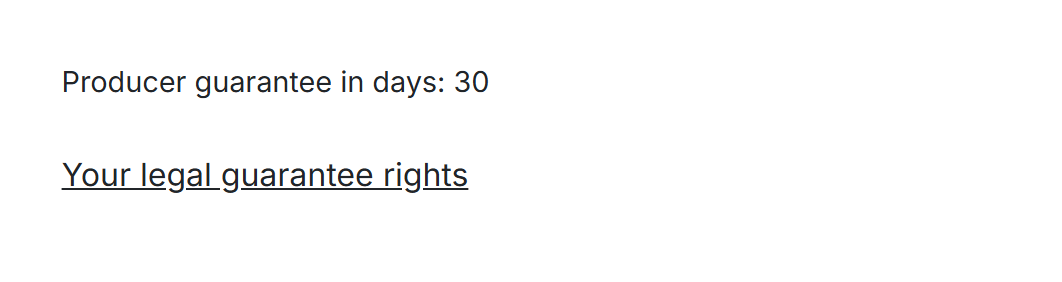
- The plain mention, for example “Producer guarantee in months: 6”.
It has no artwork, no EU symbol, no GARAN wording and opens no pop-up, so customers cannot confuse it with the label. The texts exist in the 24 EU languages, for example “Garanția producătorului în zile: 30” or “Herstellergarantie in Monaten: 6”.
When the option is off
- Guarantees of 2 years or less are refused with an explanation when you enter them.
- Short guarantees stored earlier stay stored but are not shown to customers. In the back office they appear read-only until you switch the option on again. They never turn into a GARAN label.
- A product’s own short guarantee (its setting or its feature value) still keeps its brand rule’s label away from it (Which source wins).
- The Compliance checklist counts these products under Short producer guarantees (2 years or less).